Clone installed apps
Create another instance of supported social, messaging, utility or game apps from one list.
 Phantom
Get Phantom
Android app cloner & private space
Clone WhatsApp, Instagram, Telegram, games and other Android apps. Keep each account in its own space and switch without signing out.
Use a second account for
What Phantom does
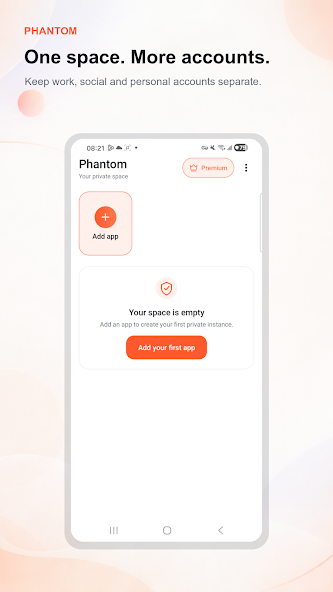
Select an installed app, create a private instance and sign in with another account. The original app stays unchanged.
Create another instance of supported social, messaging, utility or game apps from one list.
Each instance uses its own app data so work and personal sign-ins do not mix.
Open the account you need from Phantom instead of repeatedly signing in and out.
Add, rename and remove cloned instances from one simple home screen.
Simple by design
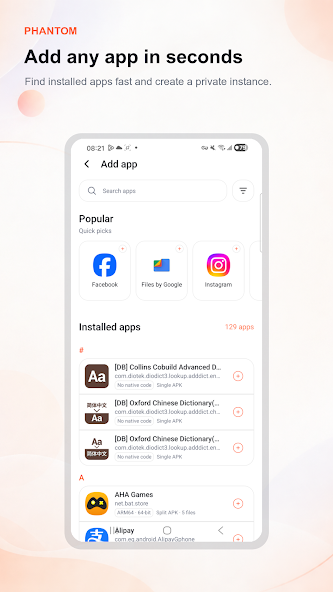
See the apps already installed on your phone.
Select the app you want to use with another account.
Sign in and use it from its separate Phantom space.
Made for real life
Keep separate messaging and social accounts available on one device.
Manage multiple profiles without replacing the login in your original app.
Open another supported game account without repeatedly switching credentials.
More from Beason Apps
Explore our other Android apps for WhatsApp Web and practical PDF work.

Use WhatsApp Web with up to five isolated account spaces, plus practical browser tools.

Write, highlight, annotate and sign PDF documents with natural handwriting.
Phantom creates separate instances of supported Android apps. Add an installed app to Phantom, open the new instance and sign in with the account you want to use there.
Each cloned instance uses its own app data. You can keep work, personal and game accounts separate and switch between them without replacing the login in the original app.
App compatibility varies by app and Android version. Choose from the supported installed apps shown in Phantom; some apps may not work in a cloned space.
Available on Google Play
Install Phantom, choose an app and create your separate instance.
Download Phantom